Minimal Clock1.025
Publisher Description
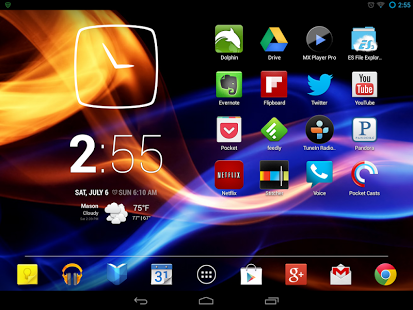
A simple android clock widget for your homescreen in a minimal design.
If you search for a special analog clock widget for your android phone, this is something for you.
Have Fun with your new Clock widget!
I'm an independent developer and doing this widget for fun.
Please support me by share this app on Google+, Twitter, Facebook or tell your friends.
It keeps me motivated.
//New Features included in v1.025:
- widget lockscreen activation
- 2 more clock widget in a new design
- redesigned configuration menu
- redesigned info
- bugfix of reboot issue
//New Features included in v1.01
- 4 different clock designs to choose
- resizeable clock widget
- options menu
//Upcoming features for the Minimal Clock widget v1.03:
- personal color picking for the clock widget
//Please remind yourself, this is a widget and will not be in the app list.
(Working on all Launchers/Devices)
About Minimal Clock
The company that develops Minimal Clock is UhrArt. The latest version released by its developer is 1.025. This app was rated by 1 users of our site and has an average rating of 4.0.
To install Minimal Clock on your Android device, just click the green Continue To App button above to start the installation process. The app is listed on our website since 2013-10-27 and was downloaded 14 times. We have already checked if the download link is safe, however for your own protection we recommend that you scan the downloaded app with your antivirus. Your antivirus may detect the Minimal Clock as malware as malware if the download link to com.uhrart.minimalclock is broken.
How to install Minimal Clock on your Android device:
- Click on the Continue To App button on our website. This will redirect you to Google Play.
- Once the Minimal Clock is shown in the Google Play listing of your Android device, you can start its download and installation. Tap on the Install button located below the search bar and to the right of the app icon.
- A pop-up window with the permissions required by Minimal Clock will be shown. Click on Accept to continue the process.
- Minimal Clock will be downloaded onto your device, displaying a progress. Once the download completes, the installation will start and you'll get a notification after the installation is finished.
Program Details
System requirements
Download information
Pricing
Version History
version 1.025
posted on 2013-10-27
short Update in 1.025:,- fixing Bug on Samsung Note 10.1/ Note 2/ Note 8,- support of Sony devices,- fix of the black clock,New Features included in v1.02:,- 2 more clocks in a new design,- redesigned configuration menu,- redesigned info,- bugfix of reboot issue,New Features included in v1.01:,- 4 different clocks to choose,- adding to the lockscreen (4.2 only),- resizeable widget,- options menu
version 1.02
posted on 2013-06-24
Several fixes and updates
